OAuth as the OpenID Provider
Before Creators can use the OpenID provider to log in, you must set up your OpenID provider account to integrate with Qrvey.
Overview
Your OpenID provider account needs to provide the following:
- OAuth 2.0 credentials (realm, clientid, client secret) needed to add user accounts in the Admin Center.
- Redirect URL (Return URL).
You can also customize the branding information that creators see on the user-consent screen.
Set Up Auth0 as an OpenID Provider
After creating an application in Auth0, you can use the credentials to set up user accounts in the Qrvey Admin Center.
-
Go to Auth0 and log into your account.
-
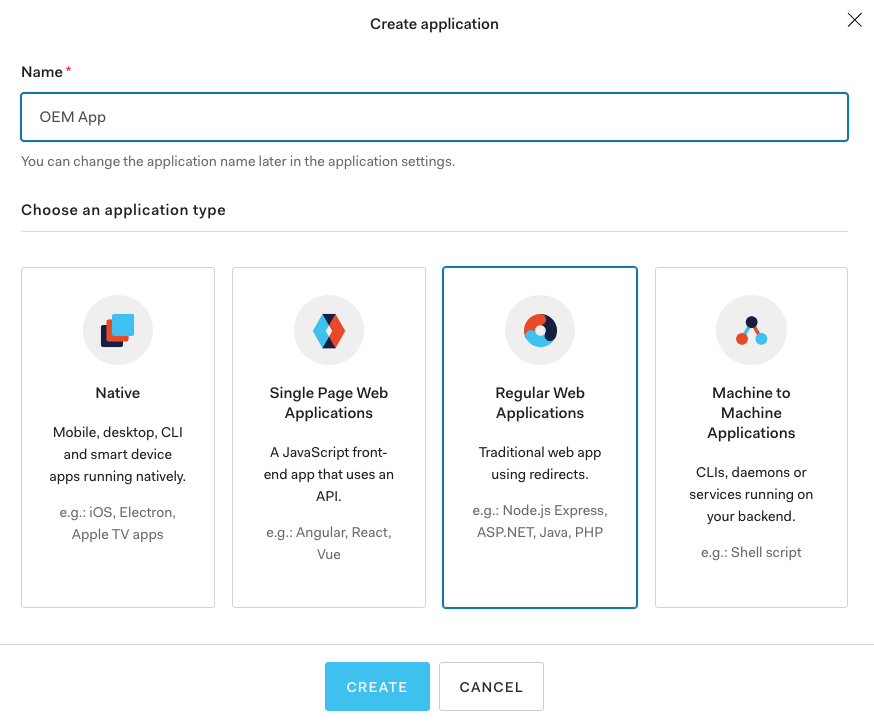
Create an application by entering a name and selecting an application type.
-
Complete the fields in the Settings tab for this application.
a. Complete the fields in the Basic Information section.
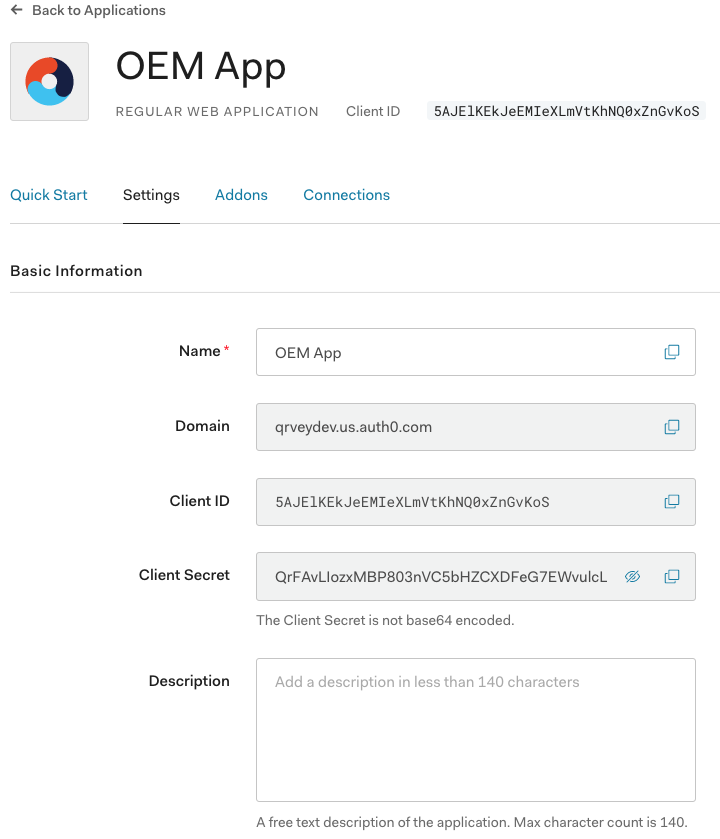
b. In the Application properties section, enter a custom logo URL.

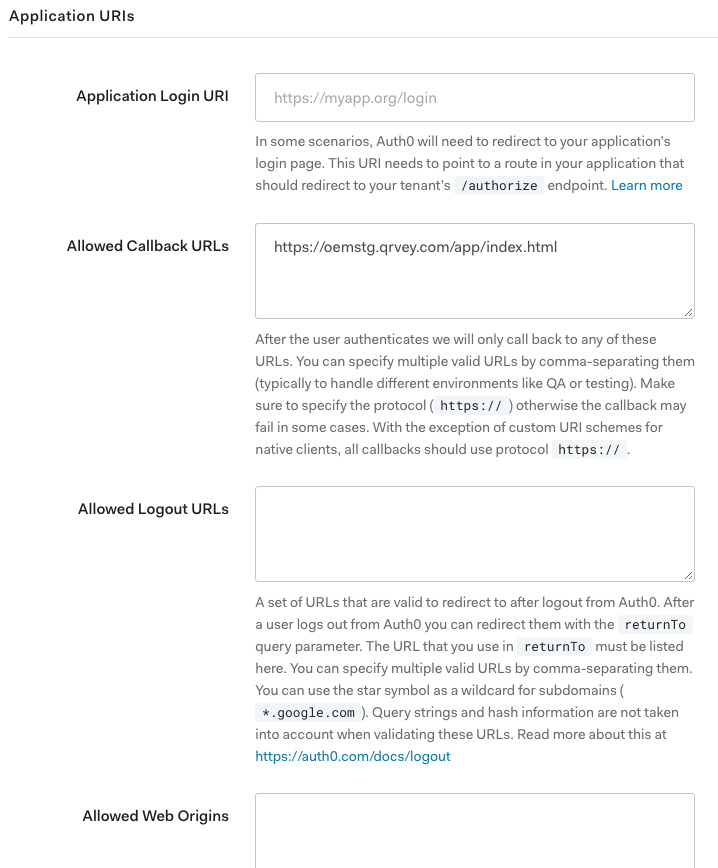
c. In the Application URIs section, add an application URI and any permitted callback URLs (comma-separated).
-
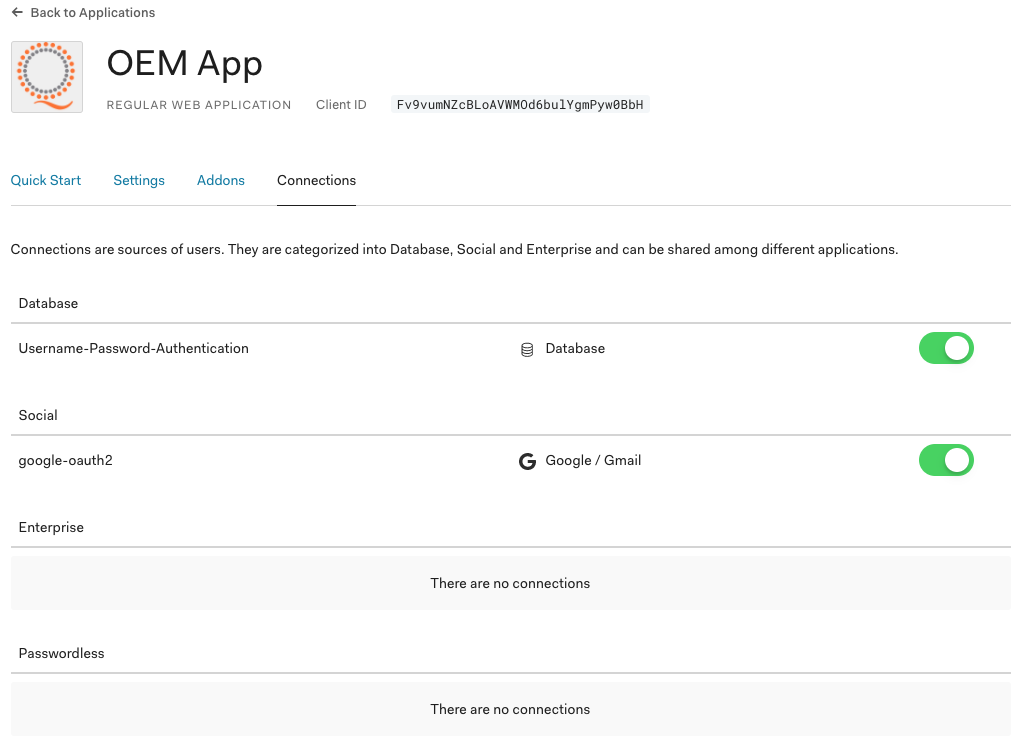
Set up connections as user sources.
-
In the Qrvey Admin Center, open the User Management page and add the OpenID parameters to the Authentication tab. The following graphic shows how the OpenID entries map to the Authentication tab.
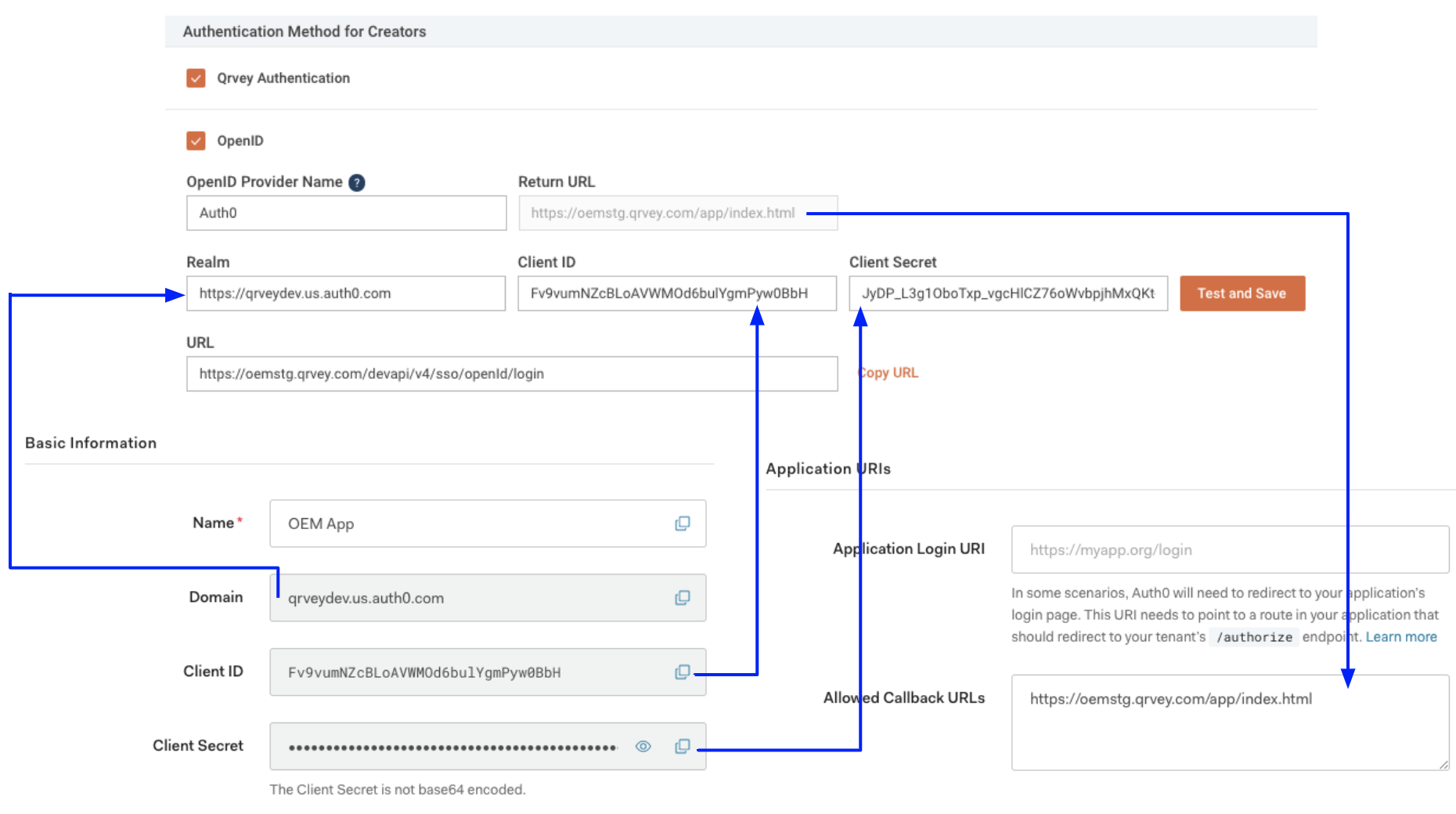
After you have added the parameters, select Test and Save to validate your integration.